
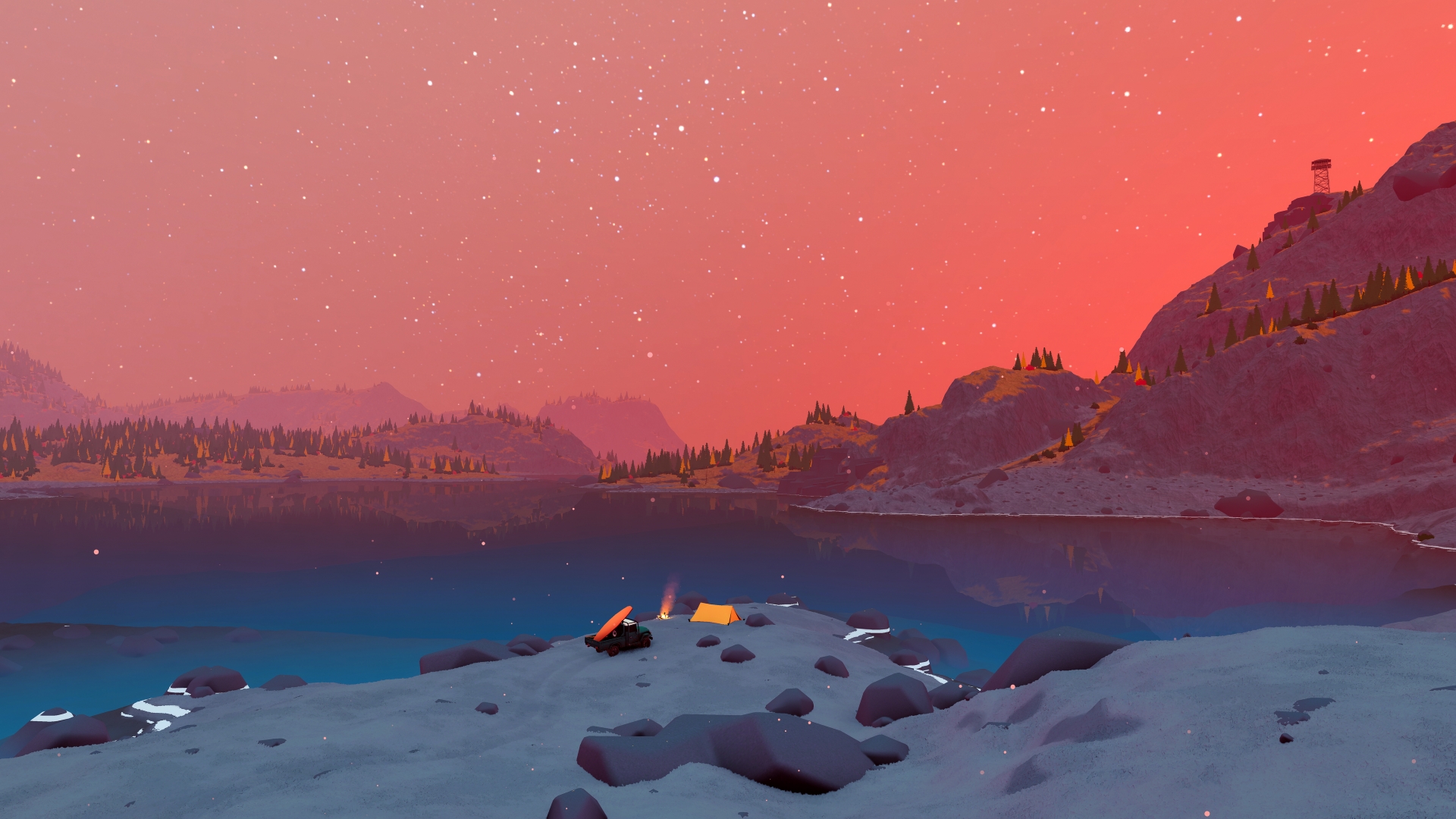
Source: official over the hill website. Game imagery © Funselektor and Strelka Games.
The official advice about graphics drivers
The developer's June performance update recommends ensuring that GPU drivers are up to date. The stated reason is that some players reported improved performance after updating them, rather than a guarantee that the same change resolves every issue on every computer. This is the concrete official recommendation in the collected material, so it is a better starting point for an article about settings than an invented list of frame-rate gains.
The recommendation appears beside an explanation of ongoing optimization and tentative Demo changes, making its context clear. It is not presented by the developer as a replacement for the minimum specifications or as evidence that a machine below them will achieve a particular result. The source-based answer keeps the advice and its limited evidence together: current drivers are recommended, while the outcome depends on the actual machine and build being played.
The developer's performance update
The June 15 update directly addresses performance concerns raised during the public Demo and explains that the preview was being tested across many combinations of hardware, resolutions and settings. The developer says the final optimization pass would follow the major systems and content, while additional help was being hired to support that work. This establishes that performance was an active development topic rather than an issue dismissed because the game's visuals are stylized.
The August progress update describes continued optimization alongside bug fixes, camera improvements and tuning of upgrades and cosmetics. These statements document the team's work between the Demo and launch without supplying a measured improvement for a particular graphics card. They are useful context for historical performance reports, because a result from the June build should not be described as a final release benchmark merely because the hardware name is unchanged.
What the Demo reports say about vegetation settings
The collected community performance thread includes players who say reducing vegetation settings improved their Demo experience. It also contains differing results from other players, including reports made with similar hardware, so the discussion does not establish a single reliable preset for everyone. The relevant fact is that vegetation was a reported factor in some June sessions, not that lowering it guarantees a fixed performance increase.
The associated source review labels those accounts as community observations and keeps them separate from the developer's driver recommendation. That distinction is especially useful for a best-settings search, where a personal report can otherwise be mistaken for a controlled comparison. This article reports what the evidence supports without assigning a specific frame-rate gain, choosing an unsupported graphics preset or treating the Demo's settings as a measured result for the full release.
The scope of the collected Demo performance video
The collected FPS-test video identifies its test setup as a Ryzen 5 3600, a Radeon RX 6600 with 8 GB of video memory and 32 GB of RAM at 1920 by 1080. Its description says it compares the Demo's Lowest, Medium, High and Ultra presets, providing a defined machine and preview context. Those details identify the scope of the creator's comparison, rather than a performance result that can be assigned to every supported PC.
The research did not extract independently verified numerical FPS results from that video, and its published description is not a replacement for the Steam requirements. It is therefore useful as an attributed example of a hardware-specific Demo comparison, without turning its title into a universal best-settings answer. The developer's store specification remains the published compatibility reference, while that video's machine and resolution describe a separate, narrower testing context.
What the Steam Deck hotfix actually changed
The June 16 Demo hotfix says the default settings on Steam Deck were changed, alongside network stability improvements for the Asia server region. It does not publish a complete optimal preset or a guaranteed frame-rate target, so the documented change is the revised default rather than a numerical handheld benchmark. This is a specific build update and can be described precisely without borrowing results from unrelated hardware.
The developer FAQ separately expresses a commitment to smooth Steam Deck play through Proton. That is a support plan, while the hotfix records work performed during the Demo, and the two sources answer different parts of the handheld question. Together they establish the stated direction and a concrete preview adjustment without promising that a particular combination of resolution, scaling and quality settings delivers identical results for every player.
What minimum specifications do and do not answer
The published minimum configuration names the operating system, processor, memory, graphics card, graphics API, network connection and storage requirement. Those fields should be considered together, because a machine with the listed amount of memory can still differ substantially in processor or graphics capability. The store's Full HD qualification also matters, since it ties the developer's stated testing context to a particular resolution rather than every possible display setup.
In the Demo discussion, the developer acknowledges ongoing optimization and does not guarantee smooth results on lower-end machines. That statement keeps the requirements from becoming a promise of a particular frame rate or quality level on every compatible configuration. The dependable answer is the published comparison point for hardware, with actual performance treated as a separate question rather than inferred from meeting one item in the specification list.
The current minimum Windows requirements
Steam lists Windows 10 and a 64-bit processor and operating system for the minimum Windows configuration. The processor examples are an Intel Core i5-7400 or AMD Ryzen 5 2600, with 8 GB of memory and a graphics card listed as an Nvidia GTX 1070 or AMD Radeon RX 5600. DirectX 11, a broadband internet connection and 4 GB of available storage complete the published requirements in the collected store information.
The developer labels these specifications as tested at Full HD resolution, which is the resolution qualification attached to the published minimum list. The list does not supply a guaranteed frame rate, a universal graphics preset or a complete higher recommended specification. Keeping the published hardware and that qualification together answers the compatibility question more accurately than using the game's visual style to infer that any computer will run it smoothly.
Changing weather and the surrounding landscape
The developer website confirms dynamic weather, a day-and-night cycle and terrain deformation as part of the exploration environment. The Steam description also emphasizes that changing conditions can transform a journey through forests, lakesides and mountains. These are confirmed environmental systems rather than a timetable of fixed storms or a promise that a route will feel identical whenever a player returns to the same place.
The wilderness also contains cabins, scenic viewpoints, landmarks and wildlife, giving those changing conditions a setting with things to discover. Photography lets players capture landscapes and animals, while equipment and vehicle upgrades fit into the practical side of reaching those places. This combination explains the game's focus on exploration: the environment is both a destination worth looking at and the terrain through which players drive alone or together.