
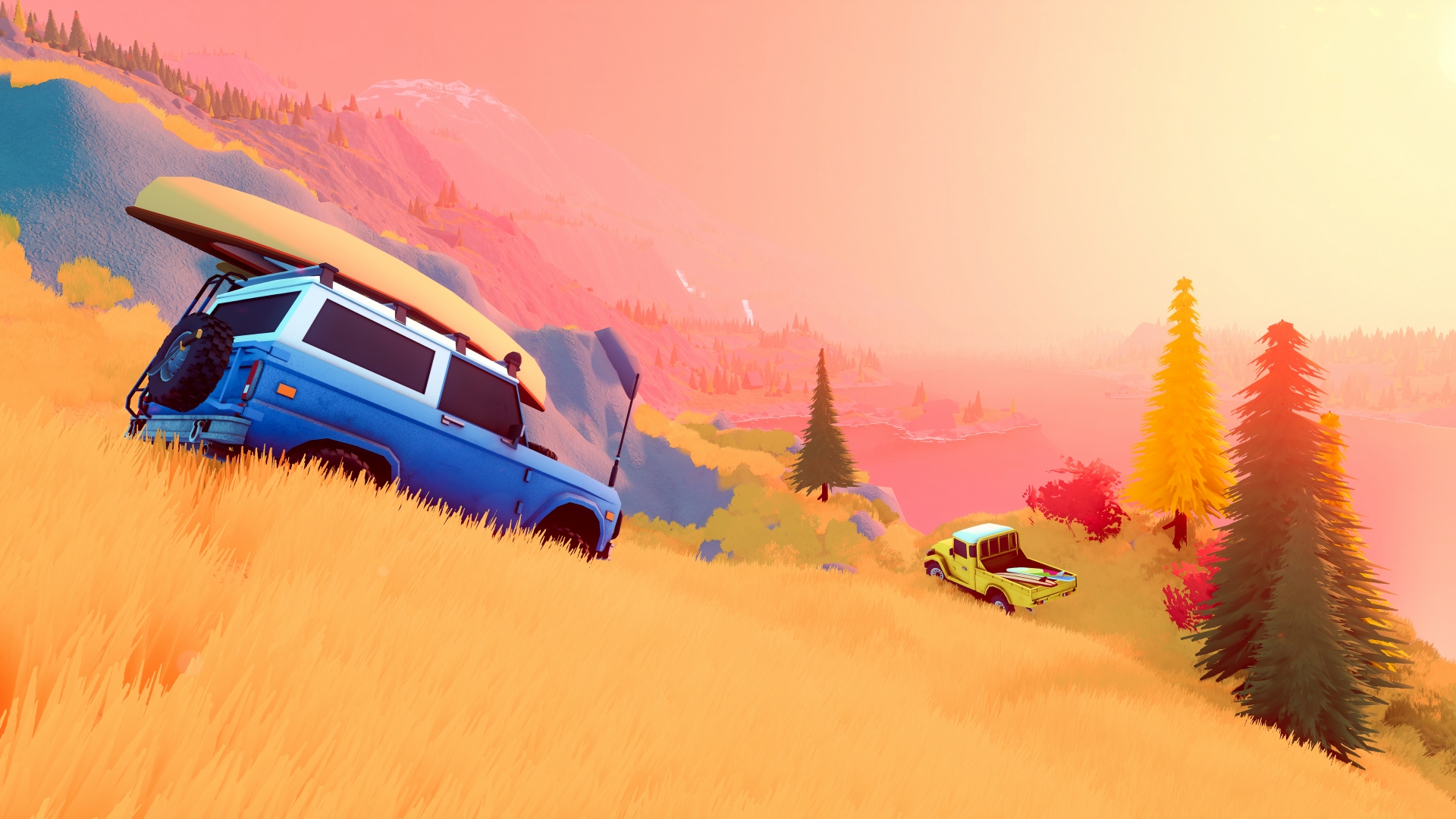
Source: official over the hill website. Game imagery © Funselektor and Strelka Games.
Trees, portable anchors and the jack
A nearby tree is one of the attachment points explicitly described in the developer's answers to stuck Demo players. A friend's vehicle is another documented option when exploring together, so recovery can involve a second driver rather than only a fixed point in the environment. Where neither option is suitable, the portable anchor supplies an additional recovery tool, while the jack is described as a way to reposition the vehicle.
PC Gamer's hands-on Demo report independently describes using a portable winching point to pull a vehicle off a boulder. That account corroborates the developer's description of an anchor as a usable recovery tool in the preview, without establishing a universal method for every obstruction. The useful answer is the set of available tools and attachment types, with the choice depending on the actual situation instead of a fabricated guarantee that a particular pull always succeeds.
Recovery equipment and difficult terrain
The Steam description names planks and winches as equipment for overcoming obstacles, with planks used to cross gaps and winches used to recover vehicles. Developer replies to Demo players explain that a vehicle can be winched to a nearby tree or to another player's vehicle in multiplayer. These are documented recovery options, so the equipment has a practical purpose within exploration rather than functioning only as decorative cargo on the vehicle.
When there is no suitable attachment nearby, the developer points to a portable winch anchor or a jack, both described as tools equipped at a merchant. The same reply offers opening the map and spawning at a cabin or merchant as a fallback when recovery cannot be completed. This establishes the available kinds of solution without inventing cable reach, equipment durability, item consumption, controller shortcuts or any other numerical recovery specification.
Returning to a cabin or merchant
The developer's recovery reply gives a clear fallback for a Demo vehicle that cannot be winched out: open the map and spawn at a cabin or merchant. This matters because the game provides a route back to exploration when a tree, another vehicle or a portable anchor cannot resolve the immediate problem. It also distinguishes a recovery tool from a map action, since pulling the vehicle and returning to a location are separate responses.
The June 15 Demo update records a fix for a case where a pinpoint placed on a cabin prevented fast travel to it. The patch also records a fix for the host sometimes being unable to release the winch, documenting two different problems in the recovery experience. These are historical changes to the Demo rather than a claim that either issue remains present in the full game or that the same interface behaves identically in every build.
Vehicle condition, grip and repair kits
The developer FAQ describes an overall health system in which damage affects both a vehicle's appearance and its performance. Repair kits can be used on a player's own vehicle or on a friend's vehicle, with the FAQ explicitly describing a limited supply rather than unlimited repairs. This makes vehicle condition part of the exploration experience, because a damaged vehicle is not simply a cosmetically different version of a fully repaired one.
The same FAQ states that multiple terrain types offer different levels of grip, with tyre condition and weather also contributing to the result. These rules explain why an account of a vehicle's behavior needs more context than its name or appearance alone. They also connect repair and equipment decisions with cooperative play, since the documented system includes helping another player's vehicle while everyone continues toward their own objectives.
The drivetrain described by the developer
The official FAQ describes the current vehicles as 4x4s and explains that the team aims to keep the driving controls relatively simple. Its gearbox description provides low and high gear and says there is no differential locking in that stated configuration. These are concrete features of the developer's published explanation, so they can be discussed without importing the complete drivetrain controls of another off-road simulator.
This streamlined arrangement belongs to the same FAQ that describes grip, vehicle damage and part upgrades. Together, those features show that simplicity in the gearbox does not remove terrain, condition or equipment from the wider driving experience. The useful takeaway is the documented control scope, rather than a guessed number of intermediate gears, an assumed differential-lock shortcut or a detailed transmission specification absent from the collected material.
Changing weather and the surrounding landscape
The developer website confirms dynamic weather, a day-and-night cycle and terrain deformation as part of the exploration environment. The Steam description also emphasizes that changing conditions can transform a journey through forests, lakesides and mountains. These are confirmed environmental systems rather than a timetable of fixed storms or a promise that a route will feel identical whenever a player returns to the same place.
The wilderness also contains cabins, scenic viewpoints, landmarks and wildlife, giving those changing conditions a setting with things to discover. Photography lets players capture landscapes and animals, while equipment and vehicle upgrades fit into the practical side of reaching those places. This combination explains the game's focus on exploration: the environment is both a destination worth looking at and the terrain through which players drive alone or together.
Four players total, with room for solo exploration
Over the Hill supports exploring alone or taking up to three friends into online co-op, for a total of four players. The official FAQ describes that total explicitly, and the Xbox listing corroborates online cooperative play for two to four players. The host is part of the count, so the announced arrangement is one player plus three friends rather than four invited friends in addition to a host.
The developer's website treats solo and cooperative exploration as two ways to enjoy the same world, including difficult routes and the scenery around them. The store description connects working together with equipment such as planks and winches, allowing the social aspect to include practical recovery rather than only driving alongside each other. This explains the supported mode without implying local split-screen, a fifth player slot or a published launch lobby procedure.
Helping another driver through obstacles
The developer's Demo replies describe using another player's vehicle as a winch attachment, making a companion part of the recovery options available in a cooperative session. The Steam description also presents working together to overcome obstacles as part of exploring challenging routes, alongside winches, planks and other equipment. This gives multiplayer a practical role within the journey rather than treating it only as an audience for another person's drive.
The FAQ's checkpoint rule remains individual, so helping a friend through an obstacle and completing one's own objective are distinct events. That distinction lets the documented systems fit together: drivers can cooperate on recovery while still needing to reach the checkpoint themselves. The collected material supports that combination without supplying an automatic shared reward, a guaranteed result for every rescue or an unlimited supply of recovery equipment.